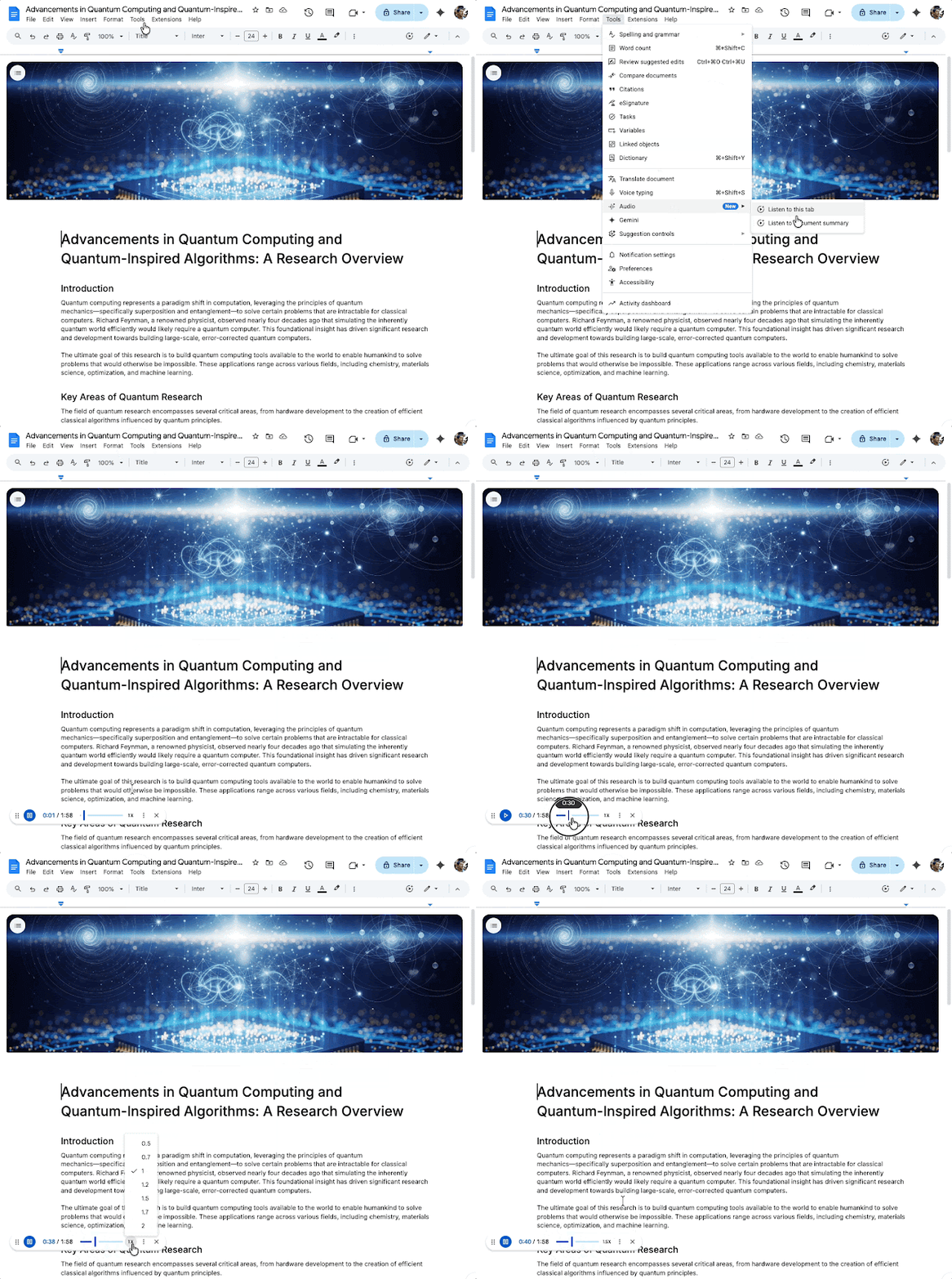
Often while in office or studying, we have to read reports of 20-30 pages, which wastes a lot of time. Google’s new feature is eliminating this problem from its roots. It doesn’t just read words, but understands the theme of the entire document and creates a smart summary of it. This means you will hear only what is most important.
How does the new AI audio summary feature work?
This feature is not limited to just reading out text. Gemini AI first understands the content of the document, identifies key points and then produces a concise audio summary of them. The audio will usually last only a few minutes. Also the language is natural and conversation like. A quick summary of reports, project documents or notes will be available. This is especially useful for those users who want to get information while multitasking.
Also read: AI Data City: The country’s first AI data hub will be built in the largest city of Andhra Pradesh, these big companies will bet.
Where did you get inspiration from?
The biggest feature of this feature is its sound. Google has created it inspired by the technology of Notebook LM. In this you get voice options like Narrator, Persuader and Coach. It gives exactly the same experience as listening to a podcast. You can also increase or decrease the playback speed and skip important parts. Also, Google has assured that this AI will not add any fabricated information from its side. The audio will be based entirely on the facts present in your document.
Who will get access to it?
Currently, this premium experience is only for paid users of Google Workshop. If you are a Business Standard, Plus, Enterprise Standard, Plus or Google AI Ultra for Business add-on, Google AI Pro for Education add-on and Google AI Pro and Ultra subscribers, you can enjoy this feature. The administrator will not need to enable it separately, it will be directly visible in the user interface.